Google APIs & Services
| Version | Date | Notes | By |
|---|---|---|---|
| 0.1 | 2017-09-13 | Initial release | jfm |
OAuth integration
Go to the developers console: https://console.developers.google.com
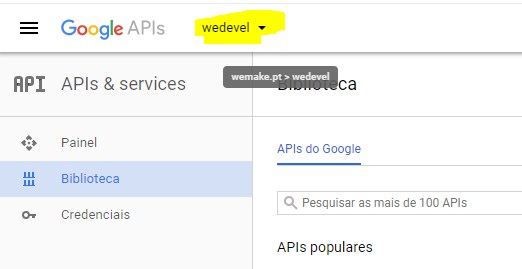
Choose or create a new project (for development related project choose the wedevel project)
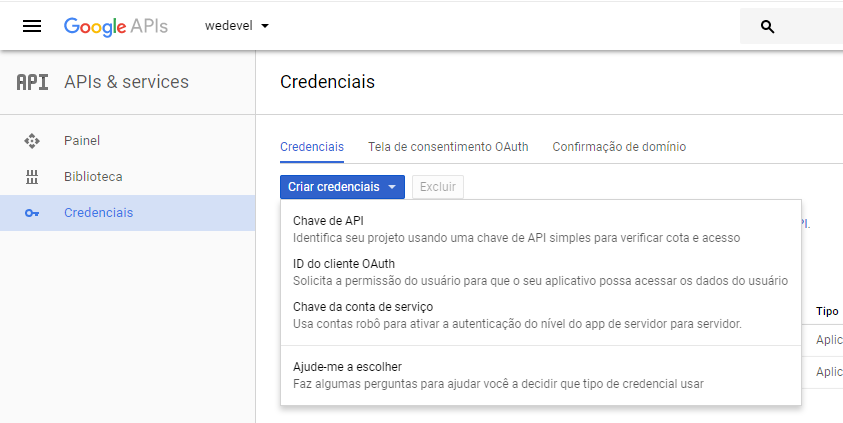
Go to the Cretentials option and choose the OAuth client ID from the Create credentials menu
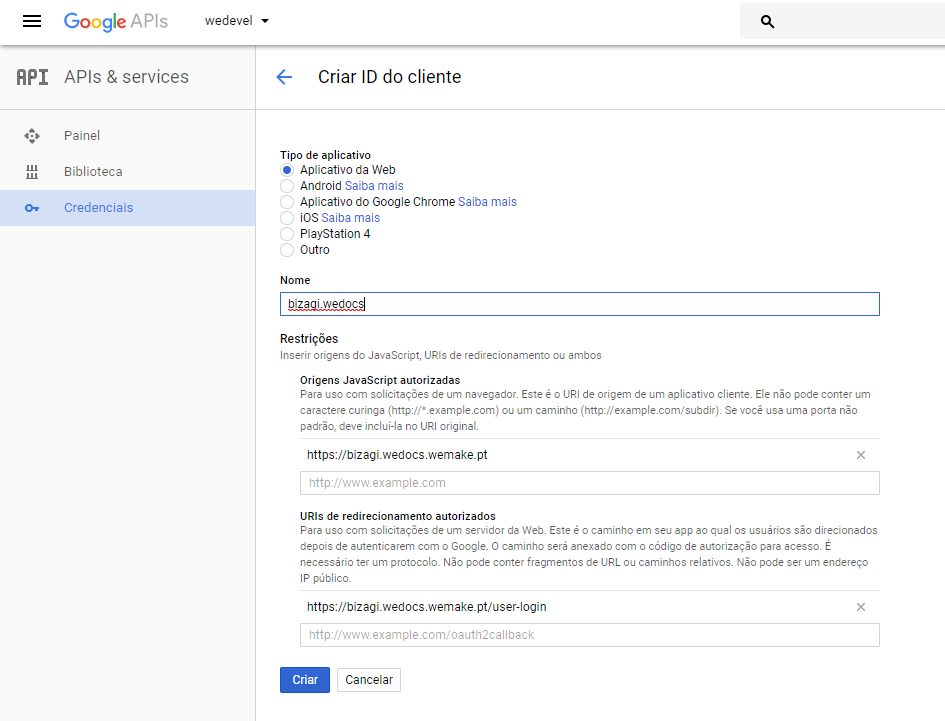
Next fill the information as needed (be sure to give it a meaningful name)
Usually you have to follow the documentation of the specific project you need the OAuth.
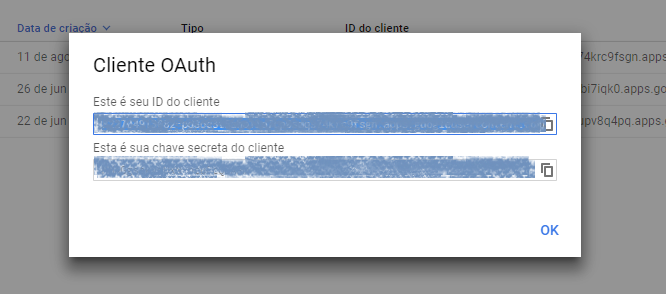
After creating you will get the Client ID and Secret that you need to use in the application you're integrationg Google OAuth with
Found errors? Think you can improve this documentation? Simply click the Edit link at the top of the page, and then the icon on Github to make your changes.